
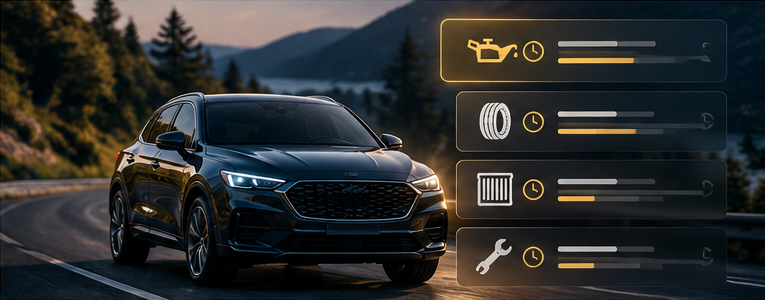
A reminder is useful only when it points to the right task at the right time. A calendar alert that repeats forever can become background noise if it no longer reflects when the service was last completed.
Car maintenance reminders work best when they connect your vehicle's schedule with accurate service dates and current mileage. The goal is a clear next step, not a phone full of alerts.
Start with the right maintenance information
Use the owner's manual and manufacturer maintenance information for your specific vehicle to identify scheduled work. Record where each interval came from so you can review it later.
Avoid applying one universal schedule to every car in your household. Different vehicles can require different tasks, and the relevant guidance may account for operating conditions.
The reminder system helps you follow a schedule. It should not quietly replace that schedule with unexplained defaults.
Understand date and mileage reminders
A date reminder watches the calendar. A mileage reminder depends on the odometer information available to the system. When an item has both thresholds, keep both visible and follow the applicable manufacturer guidance.
If an app estimates mileage from your driving habits, remember that its prediction is an estimate. A new commute or long trip can change when the threshold will arrive. Check how the app receives mileage and how you can correct it.
An old odometer reading can make an otherwise well-designed reminder less useful.
Give each alert enough context
For every scheduled item, keep:
- The vehicle and service name.
- The last completed service date and mileage, if known.
- The scheduling reference and applicable interval.
- The next due date or odometer threshold.
- A link to the last invoice or service record.
This turns “service due” into an alert you can evaluate and act on. If the previous service is undocumented, preserve that uncertainty instead of inventing a starting point.
Separate planning from completion
An advance alert can help you arrange an appointment. Booking the appointment does not mean the service is complete.
After the visit, review the final invoice, record what was actually performed and update the associated reminders. If a recommended item was postponed, keep it visible as pending. Dismissing a notification should not create a completed service record.
For shared vehicles, agree on who handles alerts and who confirms the work. Otherwise, two people may each assume the other has taken care of it.
Review when your routine changes
Revisit your setup after changes in driving patterns and after major service visits. Remove duplicate alerts and correct dates or mileage that were entered incorrectly.
Reminders address scheduled work. They do not explain warning lights, unusual symptoms or the condition of a component. Keep those concerns separate from the calendar.
For the connection between schedules, completed services and vehicle records, see our car management app guide.
Frequently asked questions
Can a calendar be enough?
A calendar can handle date-based tasks. If you also need odometer thresholds, choose a method that makes those visible and keeps the reading current.
Should reminders reset automatically?
Check what triggers the reset. It should reflect confirmed completed work, not simply an alert being dismissed or an appointment being booked.
Make the next reminder meaningful
Start with one documented service and one accurate upcoming task. Explore the Car Czar approach to connecting reminders with the rest of your vehicle's history.