
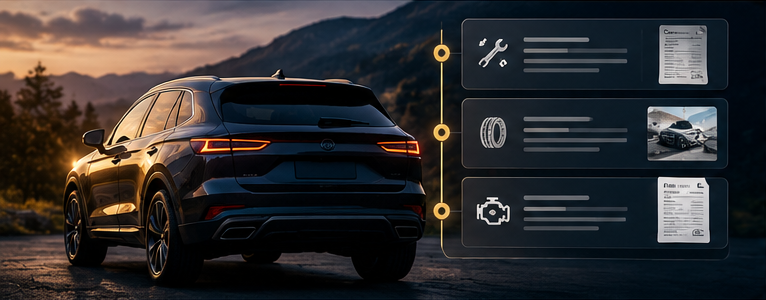
An oil change at a dealership, tires from a local retailer and a repair at an independent shop can leave one vehicle with three separate histories. None of those businesses necessarily has a complete record of everything you have done.
A car service history app helps you assemble your own timeline. Its value is continuity: the record stays useful even when you change shops or begin doing some maintenance yourself.
What belongs in a service timeline?
Include completed maintenance, repairs, inspections and relevant follow-up visits. Each entry should identify the date, odometer reading, provider and work performed, with the invoice attached when available.
Keep the description specific. “Service visit” tells you little six months later. “Battery replaced; final invoice attached” gives you something you can find and discuss.
Recommended work can also be useful context, but label it as recommended. A quotation is not proof that the job was completed.
Gather records from the places you already use
Begin with your email, paper receipts and existing owner portals. Ask previous service providers for copies of records they can supply. Add your DIY notes and parts receipts as separate entries.
An app cannot be assumed to retrieve every past service automatically. Import and integration capabilities vary, and a shop's records may cover only its own visits. Treat missing history as missing until you obtain supporting information.
When you find duplicate copies of an invoice, attach them to the same visit or keep the clearest copy. Do not create a second service event.
Organize for the questions you actually ask
A useful history should let you find the last time a particular job was done, compare related visits and open the original document.
For example, before discussing a recurring issue with a shop, locate the earlier visit and any follow-up notes. The record helps you explain what happened without relying on memory. It provides context for a professional assessment rather than identifying the cause on its own.
When comparing apps, test searches by service type, date and provider. Also check whether you can export the timeline together with its attachments.
Share a useful record
Before sharing documents with a new shop or prospective buyer, check them for personal details you do not intend to disclose. Create a separate shareable copy if necessary, while preserving the originals for your own files.
A service timeline documents the work you have recorded. It is not the same as a complete vehicle-history report, and it cannot prove that unrecorded events never occurred.
See the larger ownership picture
Service history becomes more useful when it connects with upcoming maintenance and expenses. Our car management app guide explains the broader Car Czar approach to keeping vehicle information together.
Frequently asked questions
Can I add records from several repair shops?
Look for an app that supports manual entries and document uploads. Those features let you combine records without depending on every shop using the same system.
What if an invoice is missing?
Record what you can verify, identify the source and leave unknown details blank. Request a replacement from the provider when possible.
Give your vehicle a continuous history
Start with the latest invoice and work backward as records become available. Explore Car Czar's approach to vehicle ownership and see how a service timeline fits into one organized vehicle record.