
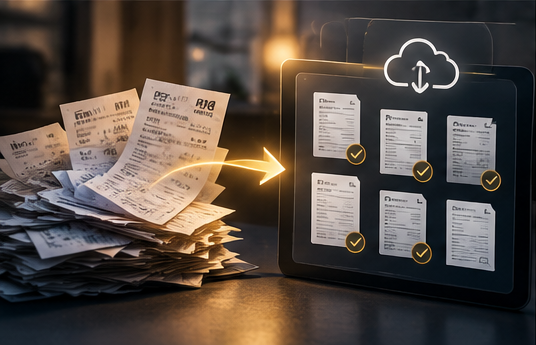
A folder full of receipt photos is a start. A record you can find, read and connect to the right vehicle is much more useful.
Digital vehicle service records combine source documents with enough context to explain them. The aim is to preserve both the evidence of a service visit and a clear summary of what happened.
Keep the document and the details together
For each visit, retain the original invoice or a legible digital copy. Alongside it, record the vehicle, service date, odometer reading, provider and completed work.
Keep estimates separate from final invoices. If a document lists recommended services, do not summarize all of them as completed work. Read the final line items and any notes that explain what was performed.
A short summary makes a record searchable. The source document lets you check that summary later.
Make a readable copy
Photograph the whole page in good light, keeping edges and text visible. For multiple pages, preserve the page order and check that none are missing. Save emailed PDFs directly when possible.
Open the saved file and zoom in before putting away the paper. A blurry image may look acceptable as a thumbnail but fail when you need a part number or detailed note.
If your system extracts text automatically, review the vehicle, date, mileage and amount. Scanning can reduce typing, but an unchecked transcription error can attach the wrong details to the right receipt.
Choose a naming system you will maintain
A simple pattern such as vehicle-date-service can make a folder easier to browse. Use an unambiguous date format and enough vehicle information to distinguish household cars.
For example, a descriptive filename could identify a particular vehicle, the service date and “tire-replacement.” The internal service record can hold the longer notes.
Consistency matters more than elaborate labels. Avoid saving every file as “receipt” and expecting search to solve the problem later.
Preserve records beyond one device
Keep a backup outside the device you use every day. If you use an app, check how exports work and whether they include attachments as well as summary data.
Try opening a sample export. A spreadsheet of service dates is useful, but it is not a complete copy of your archive if all the invoices remain locked inside the original system.
Keep original files when making redacted or compressed copies. This allows you to share a smaller or less personal version without altering your own archive.
Share with context
Before sending records to someone else, review names, addresses, payment details and unrelated information. Include the relevant service summary so the recipient can understand the documents.
Digital records show what has been documented. They do not automatically establish a complete history or verify every statement on an invoice.
To connect this archive with maintenance, repair history and expenses, read our car management app guide.
Frequently asked questions
Should I delete paper records after scanning?
Digitizing does not require discarding originals. Keep documents you may still need in their original form and confirm your digital copies are complete and backed up.
Can I include DIY work?
Yes. Add dated notes, mileage and parts receipts, while making clear that the work was performed by you.
Create a record you can actually use
Digitize one recent invoice, verify it and connect it to the correct vehicle. Explore Car Czar's approach to giving those records a place in your wider vehicle history.